Timing, suggestions and calm moves
Why the speed in the finished video is what counts, how the time suggestion works and why very slow moves do not come out even.
What counts for the effect is the speed in the finished video, not the recording time. Rule of thumb: up to about 3 °/s in the video, a movement looks calm. The time suggestion aims at about 2.5 °/s.
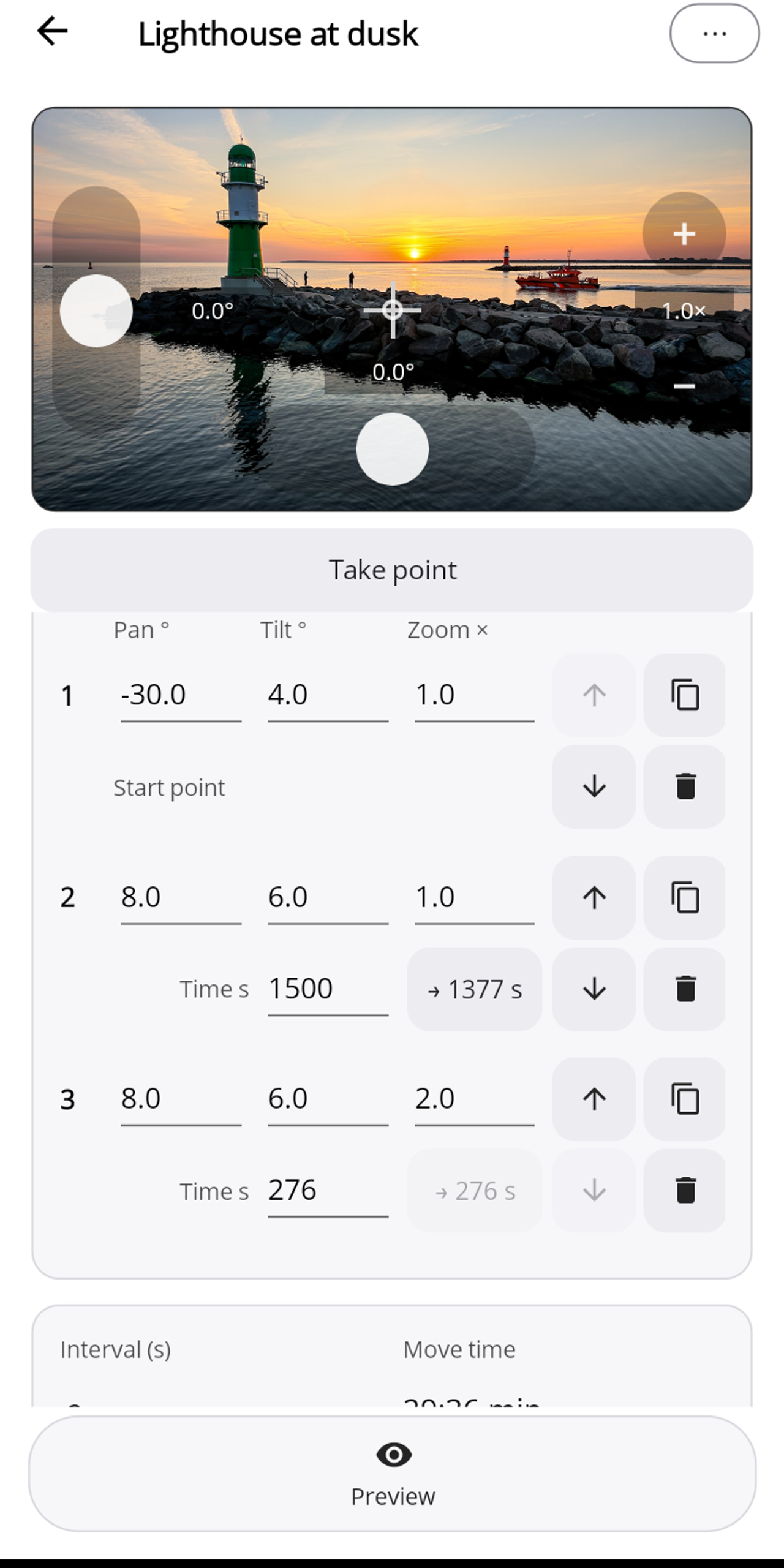
The time suggestion
- Next to each point's time is the suggestion, e.g. "→ 1377 s" next to an entered 1500 s. Tap to apply it; if it is dimmed, like for point 3 in the picture, the time already fits.
- Zoom: the suggestion calculates a zoom so that 1× → 2× takes about 3 s of video, 1× → 12× about 9 s.
- With pan and tilt of equal size (e.g. 10° and 10°), the suggestion is around 3 °/s: an even movement takes priority.
Interval and recording time
The interval only determines how long the recording takes in real time. The same number of frames takes half the recording time at 1 s interval as at 2 s, and the video is the same. The video length follows from the frame count: frames ÷ 30 = seconds of video.
Why not arbitrarily slow?
The Luna cannot move in arbitrarily small steps. Below about 2.2 °/s in the video (at 1× zoom) it can no longer move a little in every frame; the image then moves in only part of the frames and pauses in between. The suggestion therefore always stays above that, and the editor points out sections that are too slow. A larger angle or less time makes the motion even.
Small secondary movements, such as 2° of tilt alongside a 40° pan, are carried out in occasional small steps; the image still moves in every frame.