Pogimoti – Motion Timelapse: timelapse moves for the Insta360 Luna
Timelapse moves with any number of waypoints, pan, tilt and zoom. The camera records, Pogimoti moves the gimbal a little further between every two frames.

Pogimoti plans timelapse moves (motion timelapse) for the Insta360 Luna. You set any number of waypoints, each with pan, tilt and zoom and its own time for the way there, plus an interval for the whole recording and, if you like, the exposure. After a short preview, Pogimoti starts the camera's timelapse. The camera records and renders the video, Pogimoti moves the gimbal a little further between every two frames.
Camera moves for video? If you want to record a move as regular video in real time rather than a timelapse, Pathset is the right app.
Pogimoti is not a replacement for the manufacturer's app. It is a solution for a specific use case: timelapse moves. For everything else, such as transferring the videos, keep using the manufacturer's app as usual.
Features
- Waypoints in the live view: frame the shot with the on-screen sliders and zoom buttons and add it as a waypoint with "Take point", as many as you like.
- Time per section with a suggestion: for every section Pogimoti suggests a time for a calm move; one tap applies it.
- Soft transitions: the move eases in and out at the start, the end, holds and turns.
- Result line: recording time, frame count, video length and the gimbal's speed in the finished video at a glance.
- Exposure: if you like, auto, fixed shutter, fixed ISO or an ISO limit, plus exposure compensation, white balance and focus.
- Preview: a brisk test run across all points, without recording.
- Templates: eight templates to get started, from cloud drift to city lights.
- Direct & private: Pogimoti controls the camera directly over Wi-Fi and Bluetooth. No account, no cloud, no tracking.
- English and German.
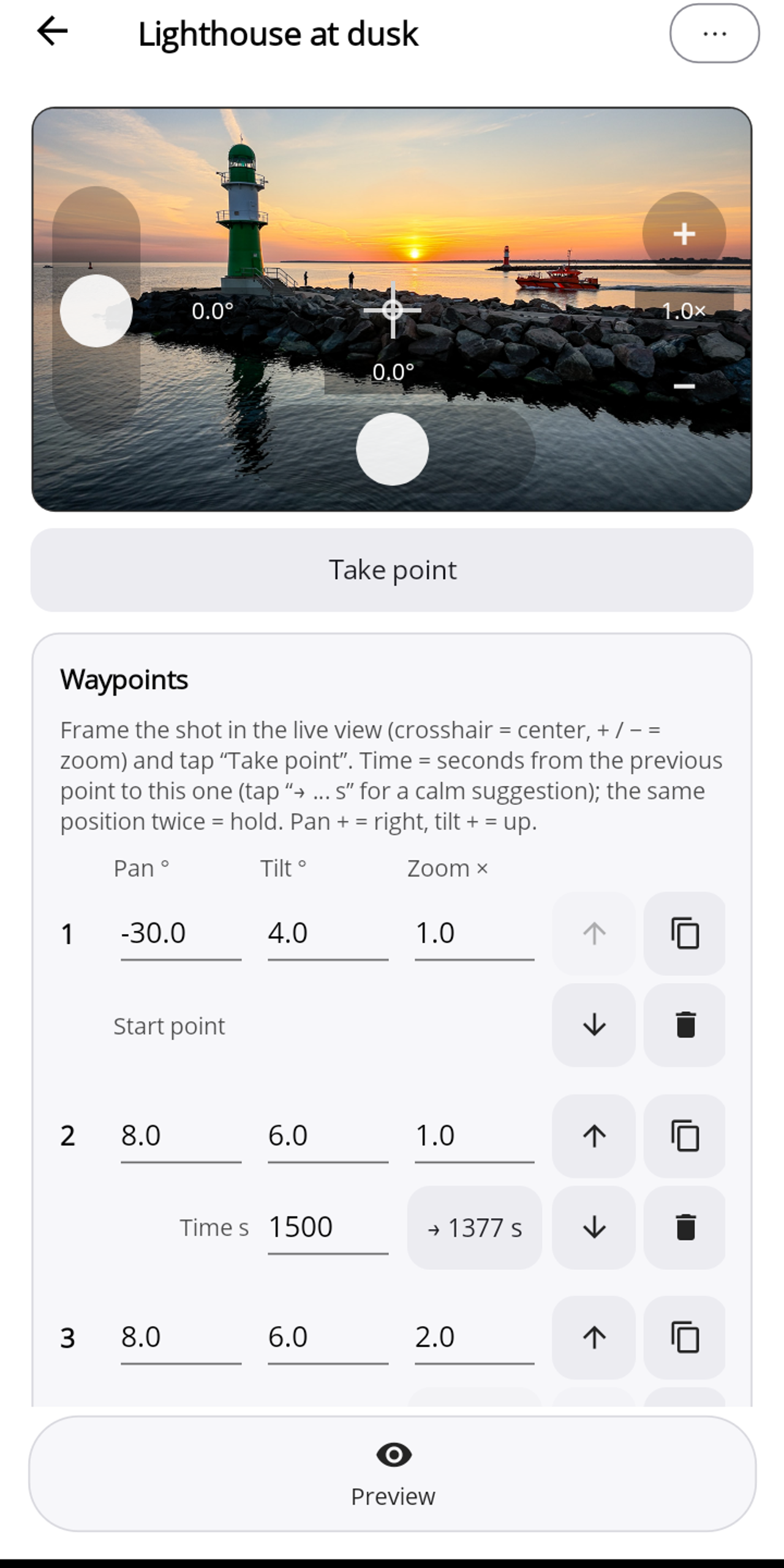
The phone guides the move. Because Pogimoti triggers every movement between two frames, the phone stays connected to the camera during the recording. On Android the screen may turn off; on the iPhone, Pogimoti stays in the foreground and keeps the screen on.
Supported cameras: Insta360 Luna Ultra and Insta360 Luna Pro. Requirements: Android phone with Android 12 or later, iPhone with iOS 17 or later, Bluetooth LE and Wi-Fi. Details under Compatibility.
Pogimoti Pro: every feature is free to use: templates, your own moves, live view, preview and exposure. Pogimoti Pro (one-time purchase, no subscription) stores your own moves permanently.
No data collection. Pogimoti collects nothing, phones nothing home and embeds no analytics or third-party services. Details in the privacy policy.
Everything else step by step in the guide: connecting, planning a move, timing, exposure, starting a timelapse and templates. If something goes wrong, see Help.
For Android: coming soon to Google Play.
For iOS: coming soon to the App Store.
Documentation
Guide
Step by step: connecting, planning a move, timing and calm moves, exposure, starting and stopping a timelapse, templates and Pro.
Compatibility and requirements
Supported cameras, phone requirements and what applies to the zoom of each model.
Help and troubleshooting
The app's messages and what they mean, plus answers to frequently asked questions.