Templates, your own moves and Pro
Eight templates to get started, your own moves, and Pogimoti Pro for keeping them permanently.
Use "New" to create a move: as an "Empty move" (start point and a target point 30° to the right), from a template as a starting point, or as a "Copy of your own" move.
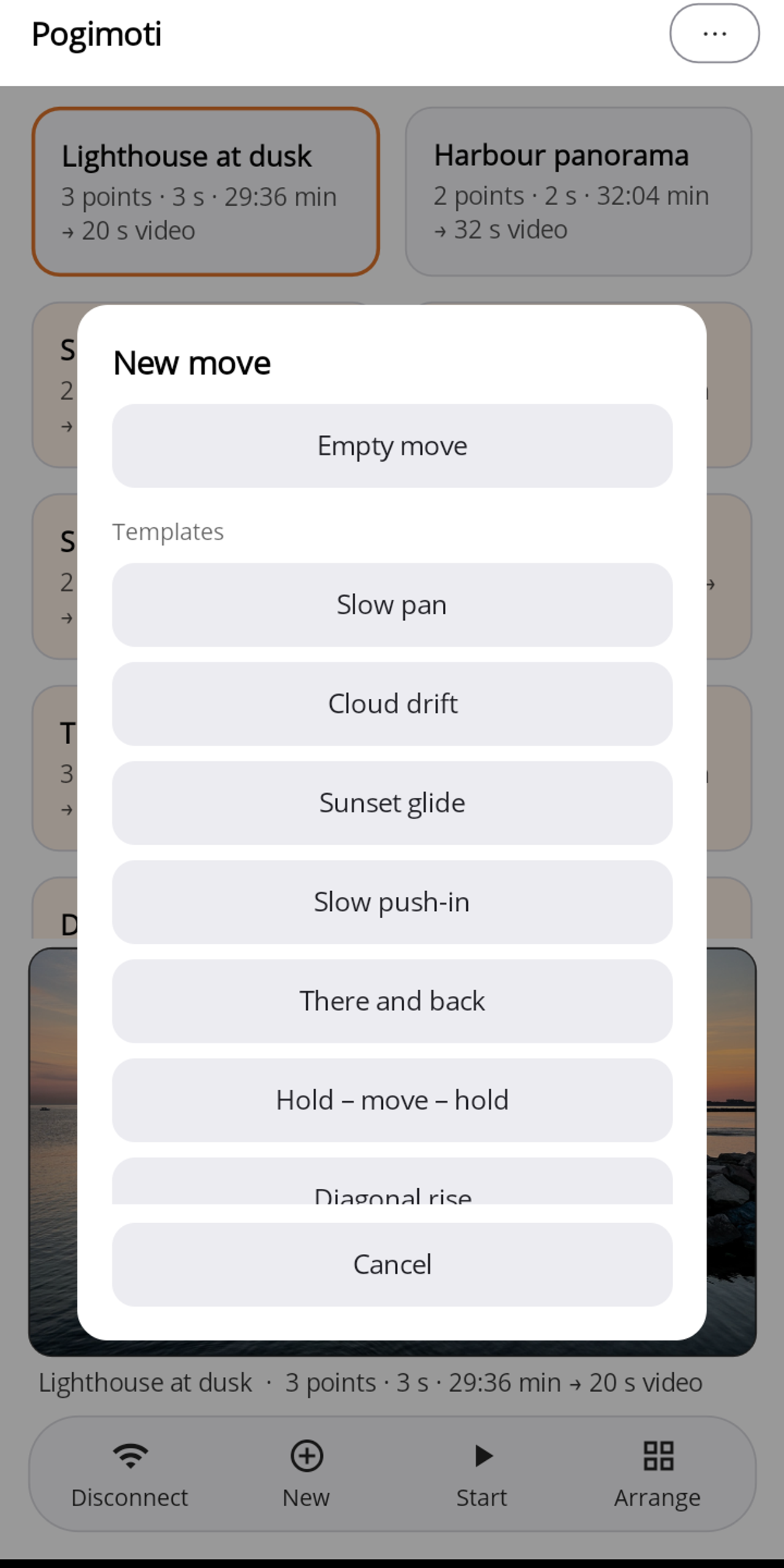
Templates
The templates apply relative to the centred position; all values can be adjusted in the editor. A template only becomes your own copy with the first change.
| Template | Move | Interval | Move time | Video |
|---|---|---|---|---|
| Slow pan | 45° pan | 2 s | 18:04 min | 18 s |
| Cloud drift | 30° pan | 2 s | 12:04 min | 12 s |
| Sunset glide | 28° pan | 10 s | 56:20 min | 12 s |
| Slow push-in | zoom 1× → 2× | 2 s | 6:08 min | 7 s |
| There and back | 20° there, 20° back | 2 s | 16:08 min | 17 s |
| Hold – move – hold | hold 3 min, 40° pan, hold 3 min | 2 s | 22:04 min | 22 s |
| Diagonal rise | 30° pan, 20° tilt | 3 s | 19:24 min | 13 s |
| City lights | 40° pan | 3 s | 24:06 min | 16 s |
Free and Pro
Everything is usable for free: templates, creating and starting your own moves, live view, preview and exposure. Without Pro, your own moves are discarded at the next app start; the home screen points this out: "Moves are only saved in the Pro version. Buy now?"
Pro (⋯ → "Unlock Pro") stores your own moves permanently. It is a one-time purchase, no subscription; payment goes through your Google Play account or your Apple ID. "Restore purchases" is on the same page.