Format and exposure
Choose storage format, resolution and frame rate, and fix the exposure if needed: mode, exposure compensation, ISO, shutter and white balance.
In the editor, the "Format & exposure" card combines storage format, resolution, frame rate and exposure.
Format
The format is always sent along:
- Video: the timelapse video only.
- Video + JPEG or video + RAW: additionally one photo per frame on the camera (DNG for RAW).
With video + RAW the interval is at least 2 s; Lapset hides shorter steps.
Resolution and frame rate
- Resolution: As on camera · 1080p · 4K; on the Osmo Pocket 3 also 2.7K.
- Frame rate: As on camera · 25 fps · 30 fps.
"As on camera" is the default and leaves the camera's setting unchanged. The frame rate determines the length of the finished video; tiles and editor calculate with the chosen frame rate, or 30 fps if none is set.
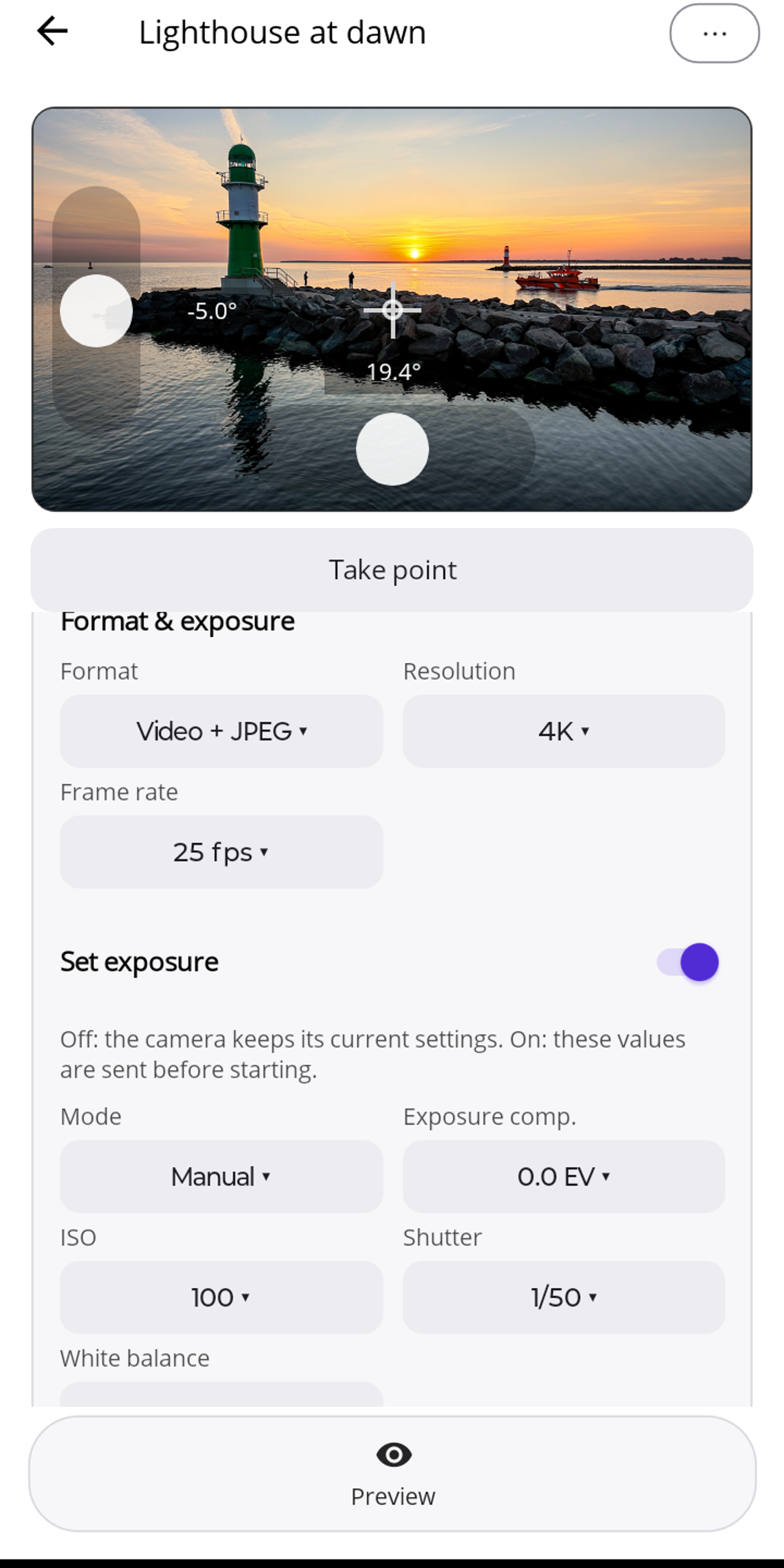
Set exposure
The "Set exposure" switch is off by default: the camera then keeps its current settings. When on, Lapset sends before the start:
- Mode: Auto or Manual
- Exposure compensation (EV)
- ISO and shutter (manual only; the choice depends on the model, see below)
- White balance: auto or 2500–8000 K
Shutter. The choice depends on the camera: the Pocket 4 and 4P report their own list, so up to 4 s. For the Pocket 3, Lapset shows standard values up to 1 s plus 2, 4 and 8 s. On the Pocket 3, values above 1 s are unofficial: the camera menu stops at 1 s, and in our tests the camera exposed correctly up to 8 s. Lapset shows a note when you select one; use them at your own risk.
Interval with long exposures. With manual exposure longer than 1 s, the interval must be at least the exposure time + 1 s. Lapset hides shorter intervals and raises a value that is too short automatically — so with an 8 s exposure to at least 10 s, and with 4 s to at least 5 s. The status line then reads "The interval was raised to at least the shutter speed + 1 s."
Tip for night skies and auroras: in Auto mode the camera exposes longer in the dark on its own than is possible in manual mode. Raise the exposure compensation if needed.
Focus
In timelapse with waypoints, the camera sets the focus to distant subjects by itself; it cannot be adjusted in this mode, neither on the camera nor in Lapset. Landscapes, sky, buildings and cities are sharp, while subjects a few metres away are blurred. For timelapses, choose subjects that are at least several metres away.