Lapset — Motion timelapse moves for Osmo Pocket
Plan timelapse moves: up to four waypoints, interval and duration. The camera moves, exposes and renders the video itself, while your phone is free.

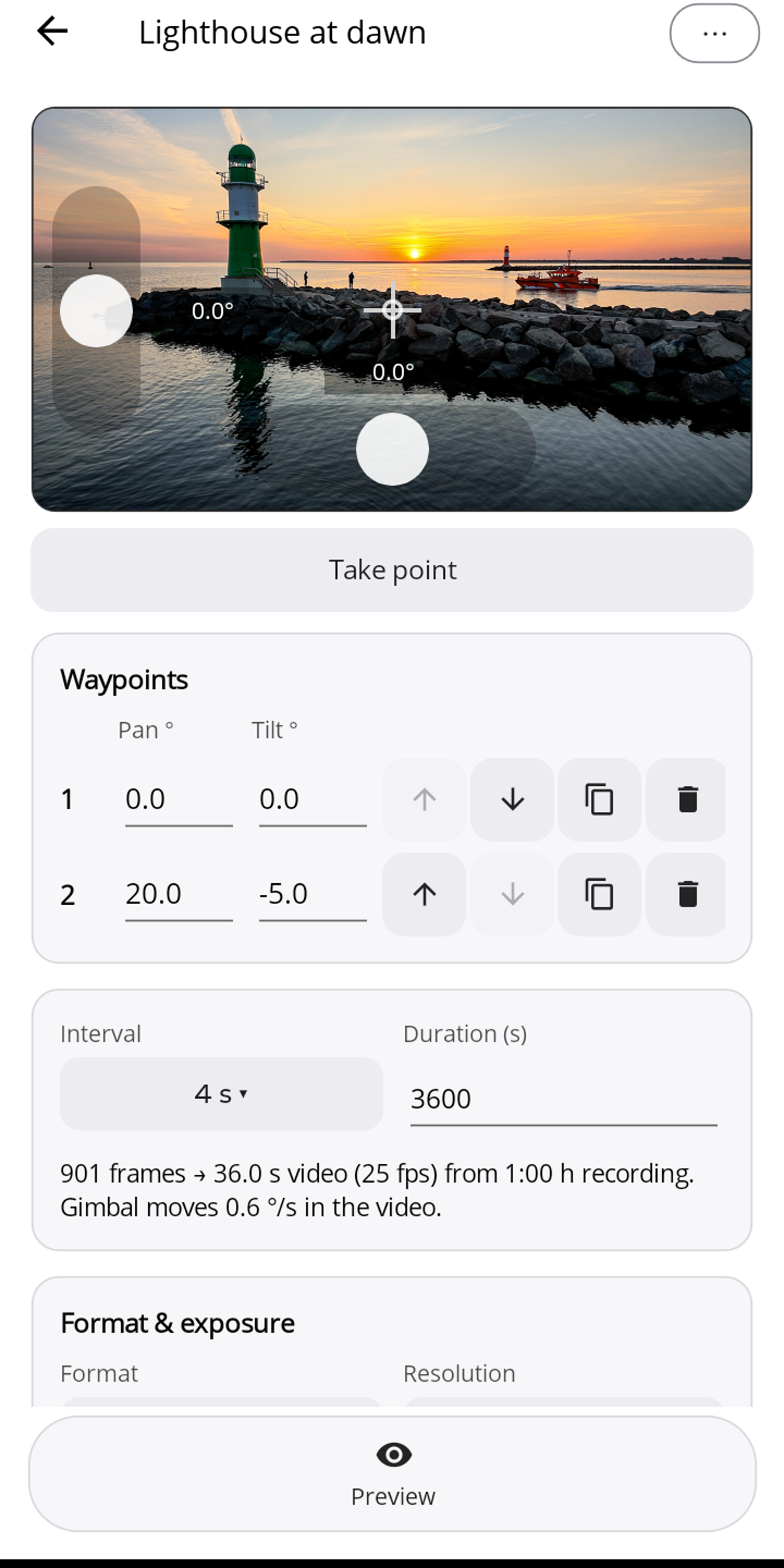
Lapset plans timelapse moves (motion timelapse) for your pocket gimbal camera. You set up to four waypoints for pan and tilt, plus interval, duration, storage format and, if you like, the exposure. After a short preview, Lapset sends the plan to the camera and starts it. From then on the camera moves, exposes and renders on its own: your phone is free and may go to sleep.
Camera moves for video? If you want to record a camera move as regular video rather than a timelapse, with pan, tilt and zoom in real time, Pathset is the right app. Pathset now records timelapse moves itself as well — with the Osmo Pocket as Motion Timelapse. There you plan the move with as many waypoints as you like, with loops, soft run-ins and reversal points, and with its own travel time for every segment. In exchange, the phone must stay connected for the whole recording — Lapset, by contrast, hands the move over to the camera, which runs it on its own.
Besides the Osmo Pocket, Pathset also supports the Insta360 Luna Ultra and Pro, and it records timelapse moves with the Luna Ultra as well (currently experimental).
What Lapset adds beyond the camera and Mimo
- Waypoints in the live view and as numbers: set points in the live view with the sliders and then fine-tune them as numbers, or type pan and tilt directly in degrees. "Mimo" offers no numeric input.
- More than two standard moves: on the camera display there are only the moves left → right and right → left. Lapset comes with twelve templates for typical subjects, from drifting clouds to the starry sky, plus any number of your own moves with up to four points.
- Save any number of moves and repeat them exactly: store your own moves permanently, including the camera parameters (interval, duration, format, resolution, frame rate, exposure), and start them again later exactly the same way. "Mimo" and the camera each remember only one move.
- Longer exposures on the Osmo Pocket 3: the camera menu stops at 1 s, while Lapset also offers 2, 4 and 8 s — useful for night shots that would otherwise need a Pocket 4 or 4P. On the Pocket 3, values above 1 s count as unofficial; in our tests the camera exposed correctly, but you use them at your own risk. More about it under Format and exposure.
Features
- Interval and duration: Lapset calculates how many frames you get, how long the video will be and how fast the gimbal moves in the video.
- Preview: a quick test run across all points, without recording.
- Format, resolution and exposure: video, video + JPEG or video + RAW, plus resolution and frame rate; fix the exposure if you like.
- Phone free: the camera records on its own. Lapset can reconnect later and take over the running timelapse.
- Media library: save the clips on the camera to your phone and share them.
- Direct & private: Lapset controls the camera directly over Wi-Fi. No account, no cloud, no tracking.
- English and German.
Supported cameras: DJI Osmo Pocket 3, 4 and 4P. Requirements: Android phone with Android 12 or later, iPhone with iOS 17 or later, Bluetooth LE and Wi-Fi. Details under Compatibility.
Free: Lapset is free, with no in-app purchase: templates, your own moves, live view, preview, format, exposure and media library. Your own moves are saved permanently.
No data collection. Lapset collects nothing, phones nothing home and embeds no analytics or third-party services. Details in the privacy policy.
Everything else step by step in the guide: connecting, planning a move, format and exposure, starting a timelapse, templates and media library. If something goes wrong, see Help.
For iOS: coming soon to the App Store.
Documentation
Guide
Step by step: connecting, planning a move, format and exposure, starting and stopping a timelapse, templates and your own moves, media library.
Compatibility and requirements
Supported cameras, phone requirements and what the camera can do in a timelapse.
Help and troubleshooting
The app's messages and what they mean, plus answers to frequently asked questions.