Pads and slider assignment
A free pad for pan and tilt, plus three sliders you can assign pan, tilt, zoom or roll.
In the standard layout the free pad (joystick) controls pan and tilt at the same time. It is joined by three single-axis pads: vertical on the left, vertical on the right, horizontal at the bottom. The thumb layout keeps only these three sliders at the edges.
Slider assignment
Via Menu → "Slider assignment" you give each of the three sliders a function: pan, tilt, zoom or roll. The assignment applies in all layouts and is saved. Default: tilt on the left, zoom on the right, pan at the bottom.
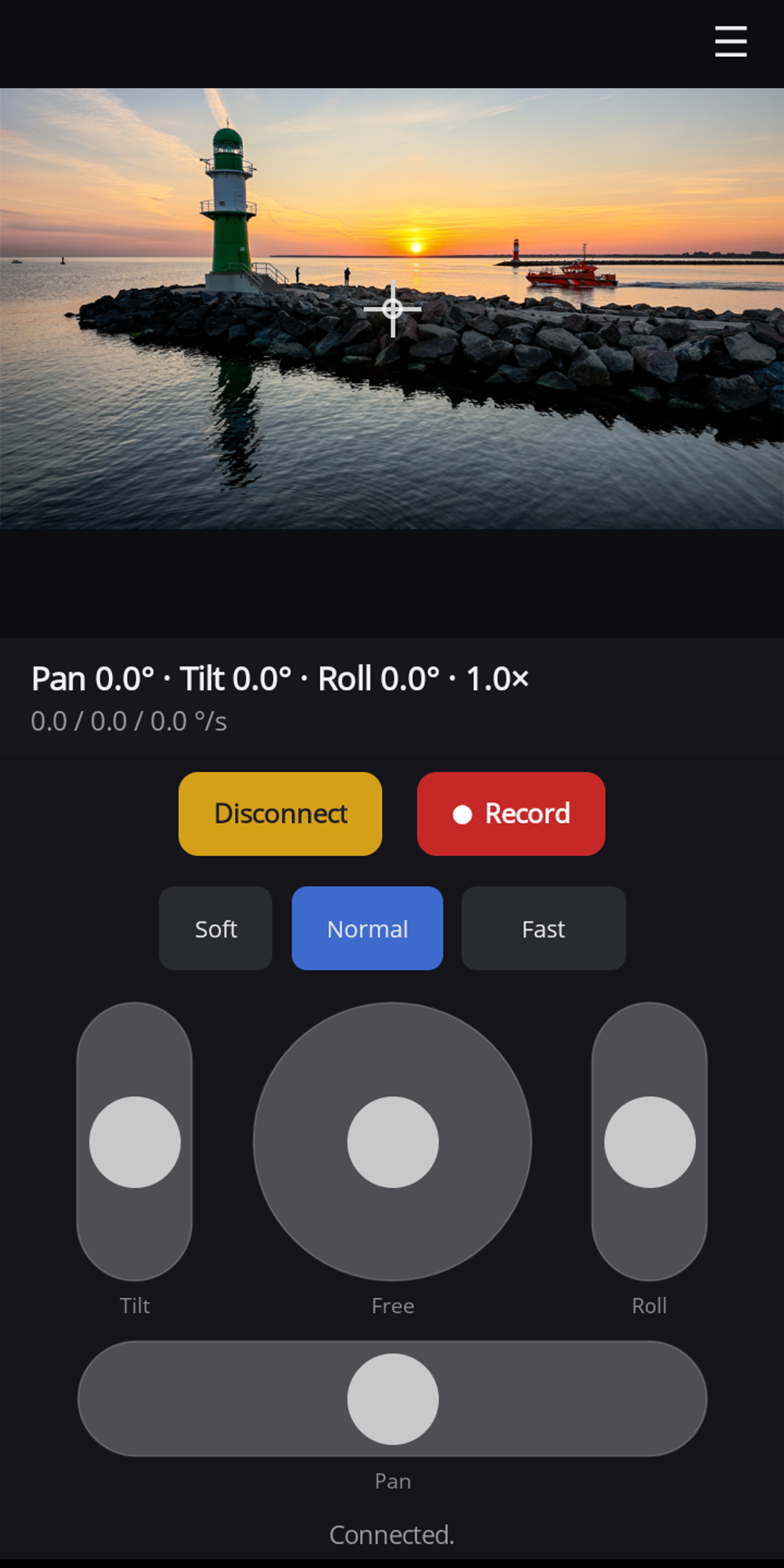
Roll
Roll is a Panset speciality; the manufacturer's app "Mimo" does not offer it. The slider follows its own fine response curve: around 2 °/s near the centre to level the horizon precisely, up to around 15 °/s at full deflection for a deliberate Dutch angle. Releasing holds the roll position; centring levels the horizon again.