Control: gears and ramps
Three gears set the speed, soft ramps the run-in and run-out: that is how even, repeatable moves without jerks come about.
Panset's core feature: instead of driving the camera directly with the joystick, you pick a gear. It limits the speed to a band and smooths every move with a ramp.
| Gear | Speed | Ramp |
|---|---|---|
| Soft | 1.5 to 4 °/s | 1.5 s |
| Normal | 4 to 15 °/s | 0.8 s |
| Fast | 15 to 60 °/s | 0.4 s |
The values are clamped to the connected camera model; the editor shows "Device runs x–y °/s (from/to is clamped to this)." accordingly.
- Deflection picks the speed: the further you push a pad, the faster within the gear's band.
- Releasing: a soft run-out instead of an abrupt stop.
- Direction changes: smoothed as well.
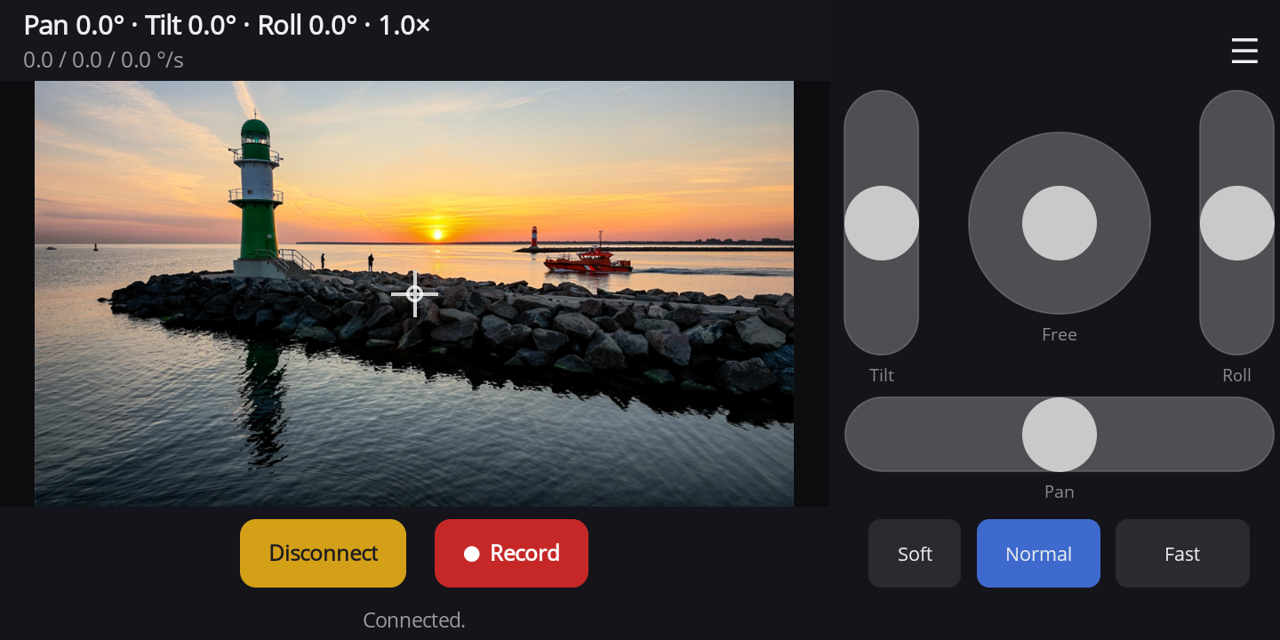
Editing a gear
Tap the active gear again to open "Edit gear": name, from °/s and to °/s, Ramp-up s and Ramp-down s. Gears are stored per camera model.