Pathset — programmed camera moves for Osmo Pocket and Luna Pro/Ultra
Program video waypoints with pan, tilt and zoom for Osmo Pocket and Luna Ultra/Pro. Pathset runs them automatically while recording. For iOS and Android.

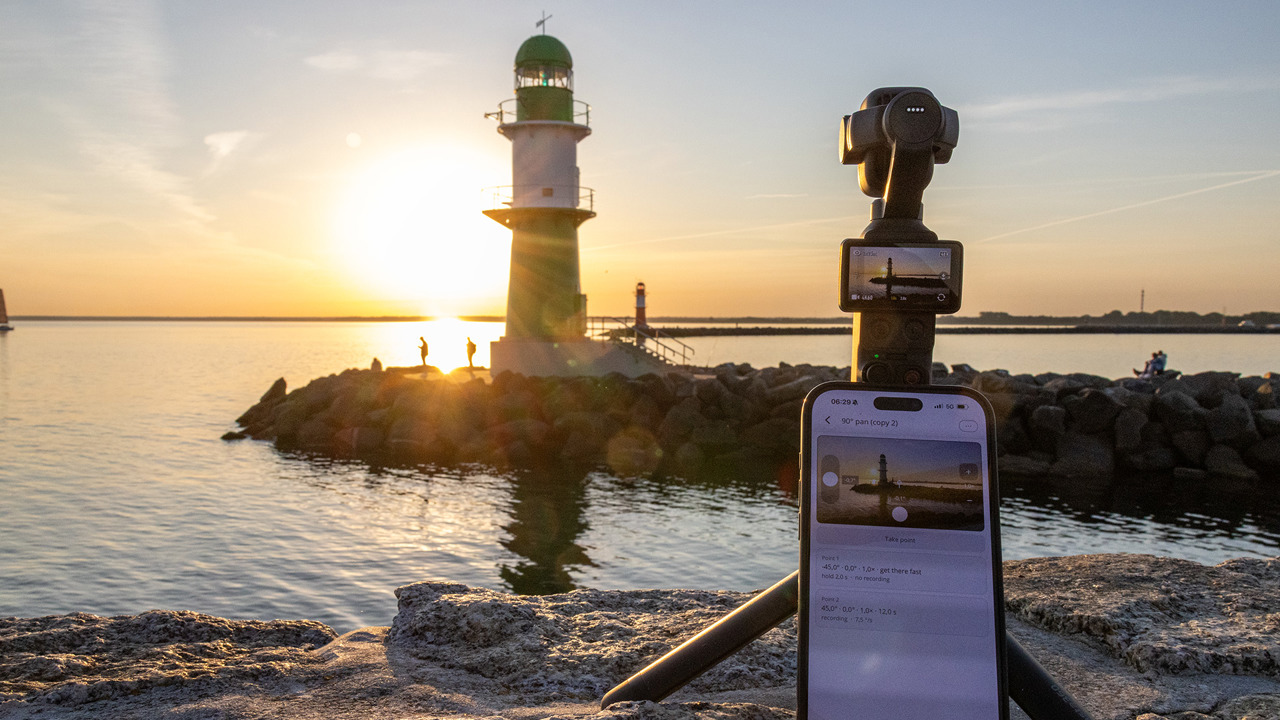
Pathset is an app for iOS and Android for automated camera moves on your pocket gimbal camera. You set waypoints (keyframes) with pan, tilt, roll (Osmo Pocket only), zoom and timing. The camera then runs the whole movement on its own and records video while it moves: smooth, repeatable, hands-free. Control happens directly over Wi-Fi, entirely without the manufacturer's app.
Timelapse moves? If you want to capture a move as a timelapse over minutes or hours, for drifting clouds, a sunset or the night sky, Lapset is the right app. The Osmo Pocket moves, exposes and renders the timelapse video itself. For timelapse moves with the Luna, there is Pogimoti.
Typical uses: as a solo creator, Pathset turns a camera on a tripod into your own camera operator. Outdoors it delivers perfectly smooth pans and zoom moves that are hard to pull off freehand. If you know motion control rigs: Pathset brings this kind of programmed camera movement to the pocket gimbal camera, including zoom.
- Create camera moves: frame waypoints in the live view or set them precisely with numeric values for pan, tilt, roll, zoom and duration.
- Roll: program canted horizons, mid-move if you like (Osmo Pocket only).
- Run and record: one tap on Start. The camera moves through your waypoints in sequence and creates one smooth, fully automatic camera movement.
- Set the recording too (Osmo Pocket): video, slow motion or hyperlapse, resolution, frame rate and focus are saved with the move. Pathset sets up the camera at the start and restores it afterwards.
- Live view & media library: check your framing, download and share your videos.
- Automatic device profiles: Pathset detects the connected model and picks the right profile.
Supported cameras
| Osmo Pocket 3 / 4 / 4P | Insta360 Luna Ultra/Pro | |
|---|---|---|
| Pan, tilt, zoom, timing | ✓ | ✓ |
| Roll (canted horizon) | ✓ | — (not currently controllable on the Luna) |
| Live view + framing | ✓ | ✓ |
| Media library (thumbnails, download, share; no in-app playback) | ✓ | ✓ |
| Recording during the move | ✓ | ✓ |
| Recording settings in the move (mode, format, focus) | ✓ | — |
| Hyperlapse (camera speeds up, gimbal moves) | ✓ | — |
| Slow motion | ✓ | — |
Pathset Pro: every feature is free to use: templates, your own paths, live view, media library. Pathset Pro (one-time purchase, no subscription) stores your own paths permanently.
No data collection. No telemetry. No third parties. Pathset collects nothing, phones nothing home and embeds no analytics or tracking services. The camera is controlled locally via Wi-Fi/Bluetooth. If you run into a problem, you can voluntarily share a diagnostic log from within the app — otherwise nothing leaves your device. Details in the privacy policy.
Documentation
Getting started
From the first connection to your first camera move: how to get started with Pathset and your camera.
Features
All Pathset features in detail: starting and editing camera moves, waypoints (keyframes), live view, media library, device profiles.
How-to & tips
Practical advice for good camera moves and what the camera physically can (and cannot) do.
Frequently asked questions (FAQ)
Frequently asked questions about Pathset: connection, privacy, price, zoom, supported cameras.
Diagnostics & support
Help with problems: how to reach us and send a diagnostic log straight from the app.